
LED TVs are known for their sharp visuals and bright, vibrant displays—but many Dubai residents notice a sudden or gradual brightness dropping on LED TV screens, making the picture look dull, faded, or unusually dim. This issue is extremely common in Dubai due to a mix of environmental factors, usage habits, and component wear.
If your TV’s brightness is not as strong as before, here’s a complete guide to understanding why it happens and what you can do about it.

Why Does LED TV Brightness Drop in Dubai??
The brightness drop on your LED TV in Dubai is most likely an issue caused by overheating due to the high ambient temperatures, often coupled with internal protection mechanisms and poor ventilation. Here are some causes listed below.
1. Dubai’s Extreme Heat Accelerates Backlight Wear.
Dubai’s climate is one of the harshest in the world. Even indoors, high temperatures put extra pressure on the LED backlight, the component responsible for screen brightness.
How heat affects TV brightness:.
- LED strips become weak and lose intensity over time.
- Internal components struggle to cool.
- Continuous overheating causes light output to drop.
- Heat damage leads to early failure of LED driver circuits.
Even if your home is air-conditioned, heat still enters when windows open or AC cycles off, stressing your TV—especially during summer months.
2. Sand and Dust Build-Up Blocks Internal Light.
Dubai’s dusty environment is another major factor. Fine dust particles easily settle inside the TV through ventilation gaps.
What dust does to your TV’s brightness:.
- Dust blocks the LED light path.
- Backlight becomes uneven or dim.
- Ventilation gets restricted, causing overheating.
- Internal reflectors get dirty, reducing light output.
A dust-clogged TV doesn’t only look dim—it runs hotter and becomes more prone to breakdowns.
3. Backlight Ageing (Common in Older TVs).
All LED TVs eventually lose brightness as the backlight ages. In Dubai’s climate, this aging process happens faster.
Signs your backlight is wearing out:.
- Brightness slowly decreases over months.
- Some areas appear darker than others.
- TV looks washed out even on max brightness.
- Colors appear weak, not vivid.

Most LED TVs start losing brightness after 2–5 years depending on usage and environment.
4. Energy-Saving or Auto-Dimming Settings.
Many residents assume something is wrong with their TV when the brightness drops—but sometimes the cause is simple: TV settings.
Common settings that reduce brightness:.
- Eco Mode / Energy Saving Mode.
- Ambient Light Sensor (auto-dim in dark rooms).
- Adaptive Contrast.
- Power Saving.
These features often turn on automatically after software updates.
5. Power Fluctuations in Apartments & Villas.
Dubai’s modern buildings are stable overall—but localized voltage drops do happen, especially in older apartments or during peak load times.
Effects of voltage issues:.
- LED backlight receives insufficient power.
- TV auto-dims to protect its circuits.
- Internal power board gets stressed, affecting brightness.
Using a voltage stabilizer or surge protector can make a noticeable difference.

6. LED Driver Board Problems.
The LED driver board controls the brightness level. If it malfunctions due to heat or power surges, brightness will drop suddenly or flicker.
Symptoms of driver issues:.
- Brightness drops randomly.
- Colors look unstable.
- TV dims and brightens repeatedly.
- Backlight shuts off intermittently.
This problem requires professional repair.
7. Screen Burn or Panel Degradation.
In rare cases, the LED panel itself may degrade—especially if the TV was used for long durations with high brightness.
Panel degradation leads to:.
- Persistent dimness.
- Uneven brightness.
- Permanent shadowy areas.
- Poor color reproduction.
Panel-related problems are expensive to fix and need expert evaluation.
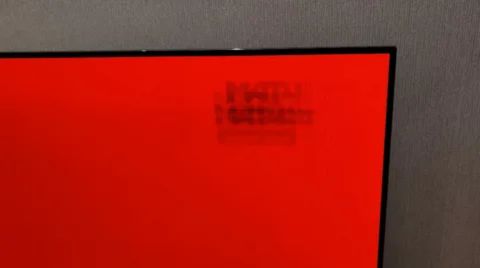
How to Fix Brightness Dropping on LED TV .
| Problem Area | What to Do | Why It Helps |
|---|---|---|
| Backlight Level Too Low | Go to Picture Settings → Backlight and increase the level. | Backlight directly controls overall screen brightness (different from “Brightness”). |
| Eco / Power-Saving Features Enabled | Turn off: Energy Saving Mode, Eco Sensor, Ambient Light Sensor. | These settings automatically dim the TV to reduce power consumption. |
| Dust Around Ventilation Areas | Clean vents using a soft cloth or gentle vacuum (without opening the TV). | Dust blocks airflow, causing overheating and lowering brightness. |
| Poor Room Cooling | Keep the TV in a cool room; avoid direct sunlight, heat sources, or closed cabinets. | Cooler environments prevent heat stress and maintain brightness levels. |
When You Need a Professional Technician.
If none of the above helps, the issue is internal. You may need:.
- LED backlight replacement.
- LED driver repair.
- Power board repair.
- Internal dust cleaning.
- Thermal diagnostics.
- Panel evaluation.
Dubai’s climate makes LED brightness issues extremely common—but most problems are fixable with the right tools and expertise.
Need Help In Brightness Dropping on LED TV??
If your LED TV brightness is dropping, flickering, or looking unusually dim, Fixer Master Dubai is the most reliable service to call. Their certified technicians specialize in LED backlight repair, power-board issues, overheating diagnostics, and full internal cleaning—all problems that are extremely common in Dubai’s hot and dusty climate.
They provide same-day service, genuine parts, and precise troubleshooting to restore your TV’s original brightness and picture quality without unnecessary replacements.
LED TV Brightness Dropping: Frequently Asked Questions.
Why is my LED TV getting dimmer over time?
The most common causes are worn backlight LED strips, a weak power board, energy-saving or automatic brightness settings, and heat stress from Dubai summers.
Can a dim LED TV be fixed?
Often yes. Replacing backlight strips or repairing the power board usually restores brightness. Check the backlight, energy-saving and ambient light sensor settings first.
How can I tell if the backlight is failing?
Shine a torch on the screen. If you can faintly see the picture, the panel is working and the backlight is the problem. Dim corners, flicker or dark patches also point to backlight failure.
Should I keep using a TV with dropping brightness?
It is better to have it checked, because a failing backlight or power board can stress other components. Call or WhatsApp +971 52 788 6093 to book a technician.