
Why Does My TV Turn Off by Itself? 10 Causes and Safe Fixes.
Why does my TV turn off by itself? In most homes the cause is a setting, a hot TV or a weak power supply. Check the sleep timer and the HDMI link first, give the TV space to cool and plug it straight into a wall socket. If it still shuts down, unplug it and call Fixer Master for safe, 24/7 repair.
Why Does My TV Turn Off by Itself? The Short Answer.
Quick answer: a TV that turns off by itself usually has one of five causes. A sleep or energy-saving setting is active. A linked device sends an off signal. The TV is too hot. The power supply is weak. Or a software bug is forcing a restart.
Start with the free checks. Open the timer and eco menus, switch off the HDMI link features and pull the plug for five minutes. Move the TV a hand’s width from the wall and plug it straight into a wall socket. Many cases end right there.
If the TV still shuts down, the fault is probably inside. A worn power supply, a tired capacitor or a failing main board needs a technician. Never open the back of a TV yourself, because stored charge can hurt you.
A TV that cuts out can feel random, but there is almost always a pattern. Note when it happens: after a set time, after a few minutes, when a device switches, or when the air conditioner starts. That one detail often points straight to the cause, and it helps our technician when you call.
This guide explains why does my TV turn off by itself, how to read the pattern, ten safe fixes and when to stop and call. It suits homes in Jumeirah Islands and across Dubai. For repairs, see our TV repair in Dubai page.
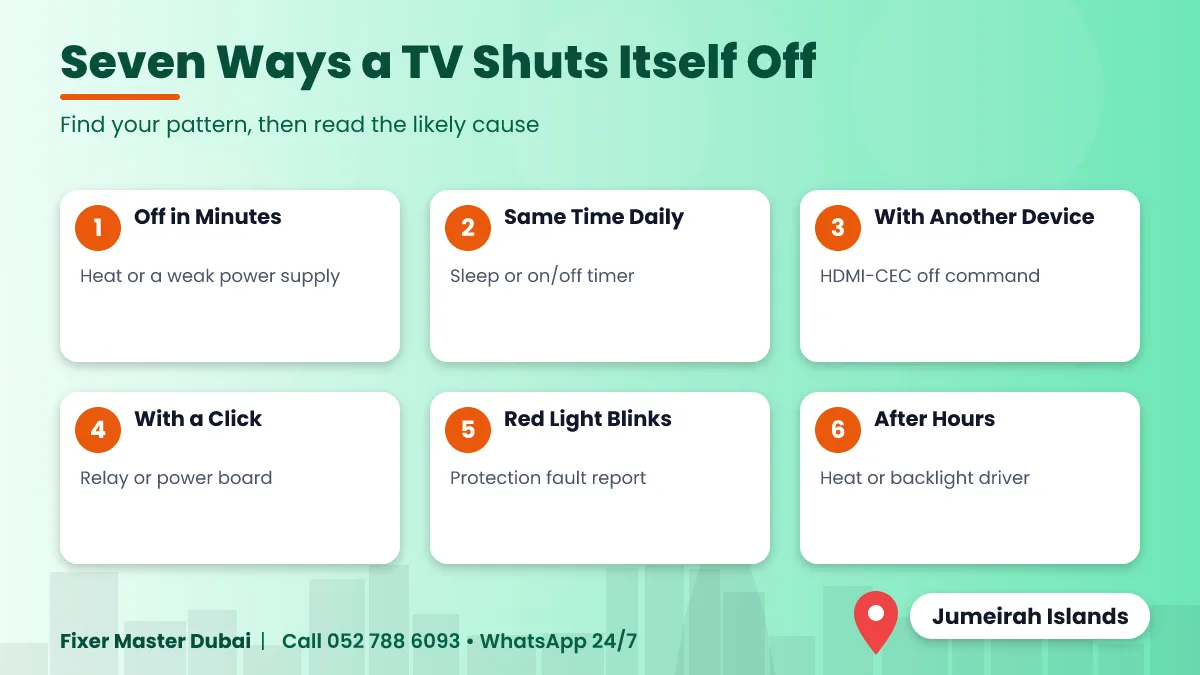
Seven Ways a TV Shuts Itself Off.
These seven patterns answer why does my TV turn off by itself in most homes. Find yours, then read the likely cause.
Off After a Few Minutes .
The TV starts, runs briefly and shuts down. Heat in the power supply or a weak capacitor is a common cause.
Off at the Same Time Daily .
Shutdown happens on a schedule. A sleep timer or an on/off timer is likely set.
Off When Another Device Sleeps .
The TV follows the soundbar or the box. HDMI-CEC may be passing an off command.
Off With a Clicking Sound .
A click comes before the screen goes black. A relay or the power board may be failing.
Off and the Red Light Blinks .
The standby light blinks in a pattern. The TV may be reporting a protection fault.
Off After Hours of Viewing .
Long viewing triggers a shutdown. Heat build-up or a tired backlight driver is likely.
Off and Restarts Alone .
The TV powers down and then boots again. A software crash or a weak power supply is possible.
Why Does My TV Turn Off by Itself? Ten Likely Causes.
Here is the answer to why does my TV turn off by itself, from the easiest cause to the hardest:.
- Sleep timer or auto power off: The TV obeys a timer you forgot, or an energy rule that switches it off after hours without input.
- HDMI-CEC commands: A soundbar, box or console tells the TV to switch off when it sleeps.
- No-signal shutdown: Some TVs turn off after a spell with no active source.
- Remote problems: A stuck power button or weak batteries can send false signals.
- Overheating: Blocked vents, a hot room or a closed cabinet push the power supply to its limit.
- Weak power at the socket: A loose plug or an overloaded strip causes dips that trip the TV off.
- Voltage swings: Spikes and drops stress the power supply and the main board.
- Ageing capacitors: Swollen or tired capacitors cannot hold steady power under load.
- Software faults: A bad update or a crashed app can force a restart or a shutdown.
- Backlight protection: A failing backlight circuit can make the TV cut power to protect itself.
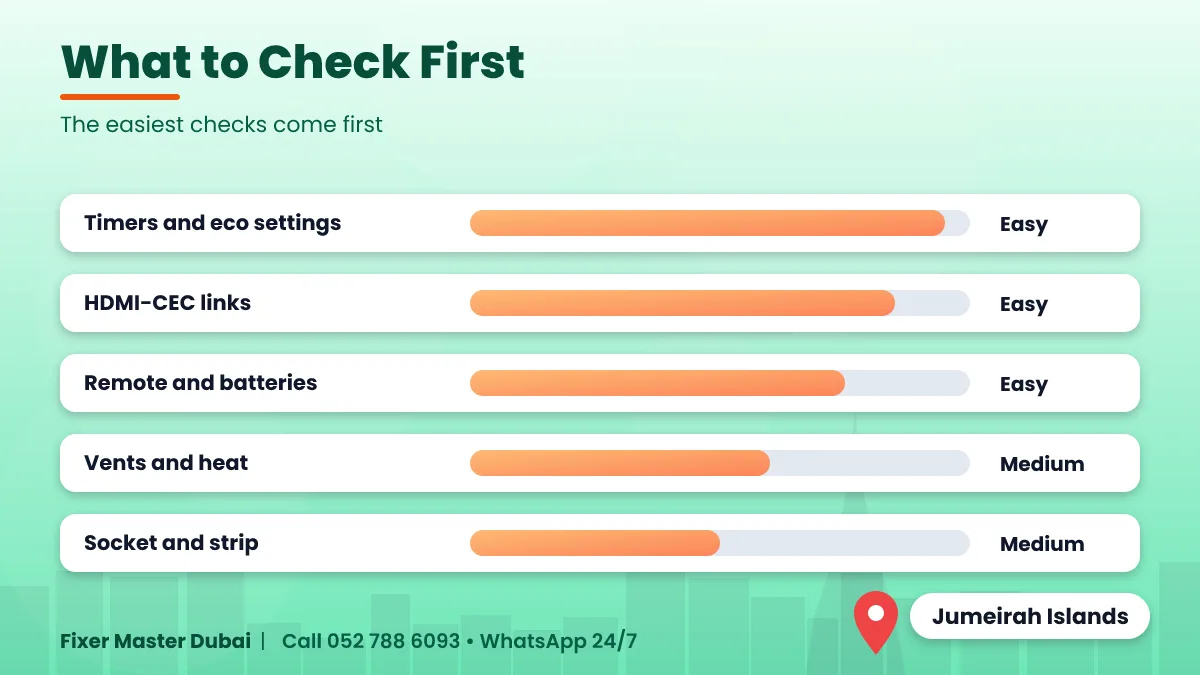
Dubai adds its own pressures. Summer heat warms the room, fine dust settles in the vents and large air conditioners share circuits with the TV. These conditions do not harm every TV, but they make weak parts fail sooner. The table links each cause to a sign you can see and a safe test you can try.
| Cause | What You Notice | Safe Test | Who Fixes It |
|---|---|---|---|
| Sleep or eco setting | Off at set times or after idle hours | Open the timer and energy menus | You can fix it |
| HDMI-CEC | Off when the soundbar or box sleeps | Turn the link feature off | You can fix it |
| Remote fault | Off when nobody pressed a button | Remove the batteries and watch | You can fix it |
| Overheating | Off after long viewing, warm case | Clear space and let the TV cool | You, then us if it repeats |
| Weak socket power | Off when a kettle or air conditioner starts | Use a different wall socket | You, then an electrician |
| Power supply or capacitor | Off with a click or after minutes | Unplug for five minutes and retest | Technician |
| Software crash | Off, then reboots by itself | Install the latest update | You, then us |
| Backlight protection | Off with a blinking red light | Count and note the blinks | Technician |
Three Types of Random Shutdown and What They Mean.
Shuts Off Within Seconds .
The TV starts and dies almost at once. Think power board, main board or protection circuit. Call a technician.
Shuts Off After Minutes or Hours .
The TV runs for a while, then stops. Heat, timers, eco modes and a tired power supply are the top suspects.
Shuts Off, Then Restarts .
The screen goes black and the TV boots again. A software crash or a weak power supply often explains it.
TV Turning Off by Itself: Cause and Fix Table.
Use this table to match what you see with the likely answer to why does my TV turn off by itself. It also shows which fixes are safe to try at home.
| Pattern | Most Likely Cause | Free Check | Next Step |
|---|---|---|---|
| Off at the same time each day | Sleep or on/off timer | Clear the timers in the menu | Retest for two days |
| Off when the soundbar powers down | HDMI-CEC link | Disable Anynet+, SIMPLINK or Bravia Sync | Retest with the lead moved |
| Off after an hour or two, warm to touch | Heat in the vents or supply | Move the TV away from the wall | Book a power test if it repeats |
| Off when the air conditioner starts | Weak socket or shared circuit | Plug into a socket on another circuit | Ask an electrician to check |
| Click, black screen, red blink | Power board or protection circuit | Count the blinks and note them | Book a technician |
| Off during an app or update | Software fault | Install updates, then restart | Reflash the software |
Ten Safe Fixes When Your TV Keeps Shutting Down.
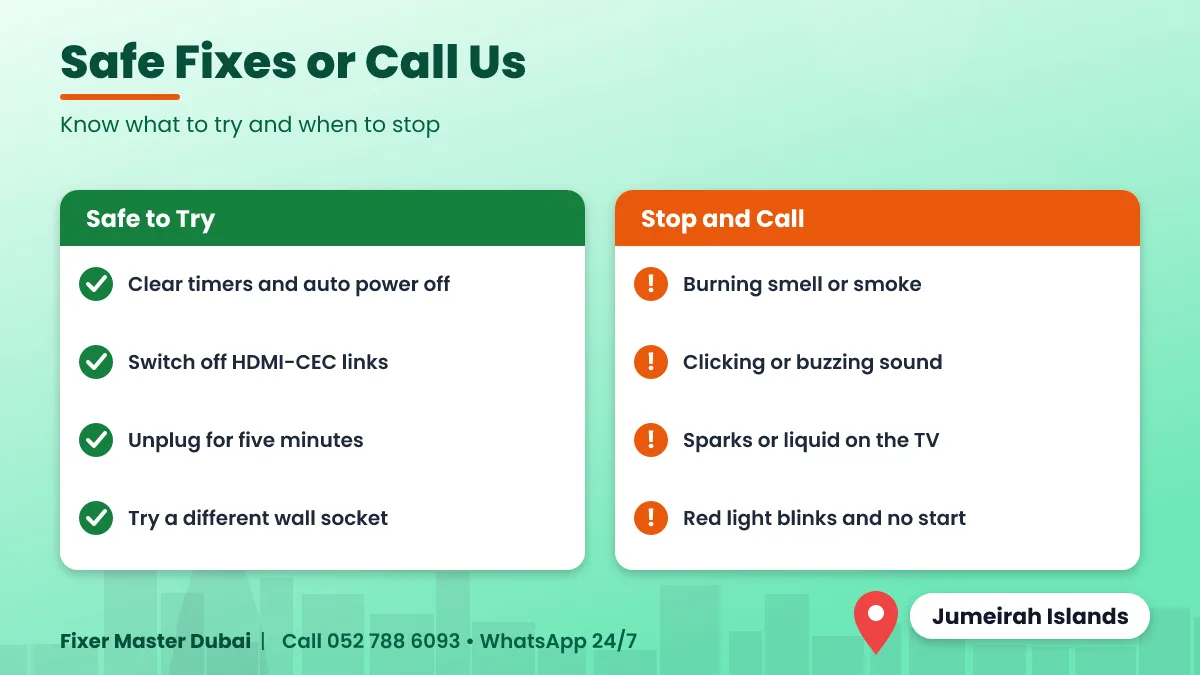
If you keep asking why does my TV turn off by itself, work through the list in order. If the shutdowns are rare, wait a day between changes and alter one thing at a time, so you know what worked. None of these steps needs tools, and none opens the TV:.
- Check the timers: Open the sleep, on/off timer and clock menus and clear any schedule.
- Switch off auto power off: Find the eco or energy menu and turn off the idle shutdown.
- Turn off HDMI-CEC: Disable the link feature on the TV and on the box or soundbar.
- Test the remote: Remove the batteries, then see if the TV still shuts down.
- Power-cycle the TV: Unplug it for five minutes, press the power button once, then plug it in.
- Change the socket: Plug the TV into a wall socket on a different circuit.
- Remove the strip: Skip adaptors and long strips while you test.
- Free the vents: Leave a hand’s width of space around the TV and keep the cabinet door open.
- Update the software: Install the latest TV update from the settings menu.
- Test another source: Unplug the box and play a USB file to see if the cause is outside the TV.
Stop and call a technician if you smell burning, hear clicking or buzzing, see smoke or sparks, or find liquid near the TV. Never open the back cover. For official steps for your model, read Samsung UAE support or LG UAE support.
Why Does My TV Turn Off by Itself After These Fixes?
Ten fixes done and you still ask, why does my TV turn off by itself? Then the fault is probably inside the set. Unplug the TV and send the model label, the blink pattern and a short video. Our technician serves Jumeirah Islands and the rest of Dubai, often on the same day.
How We Repair a TV That Turns Off in Jumeirah Islands.
To find out why does my TV turn off by itself, we follow five clear steps. We test most sets at your door.
Send the model label, the blink pattern and a short video of the shutdown. That helps the technician plan the visit and bring the likely part.
We test the power supply, the main board, the backlight circuit, the capacitors and the socket in turn. Afterwards we describe the fault and quote the price. When a part has to be ordered, we fix a return visit with you and message you updates.
We finish with a soak test. That means the TV runs with a live picture for a while, so any heat-related shutdown shows itself before we leave.
Jumeirah Islands is a gated villa community, so please share the gate and security rules in advance.
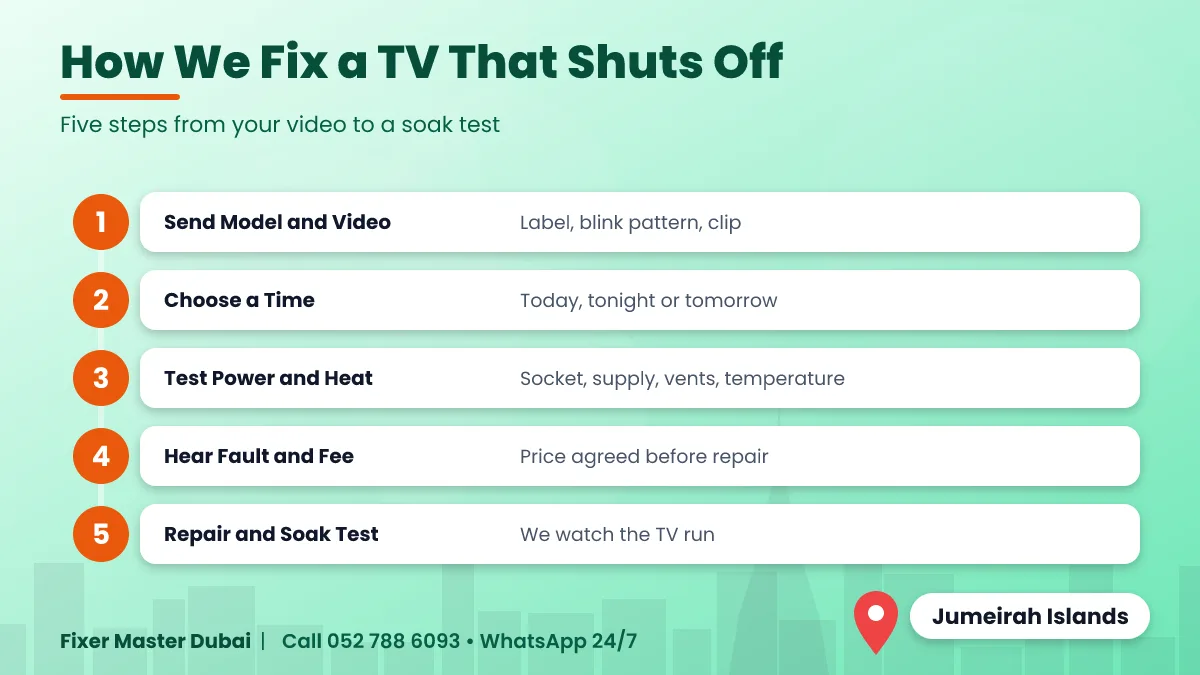
1. Send the Model and Video .
Label photo, blink pattern and shutdown clip.
2. Choose a Visit Time .
Today, tonight or tomorrow morning.
3. Test Power and Heat .
Socket, supply, vents and temperature are checked.
4. Hear the Fault and Fee .
The price is agreed before any repair.
5. Repair and Soak Test .
We fix the part and watch the TV run.
Auto Power-Off Settings on Popular TV Brands.
Settings are often the answer to why does my TV turn off by itself on popular brands. Most include timers and energy rules that can switch a TV off. Here is where to look. On a Samsung, open the general menu and check Sleep Timer, Auto Power Off and the Anynet+ link. On an LG, check Sleep Timer, Auto Power Off and SIMPLINK. On a Sony BRAVIA, look at Sleep Timer, Idle TV Standby and BRAVIA Sync. On TCL, Hisense, Philips and Xiaomi sets, check the sleep, eco and HDMI link settings. Menu names change by model and year, so use the search icon in the menu.
If every setting is clear and the TV still shuts down, the fault is physical. A Samsung that clicks and goes dark often needs the power board. An LG that blinks before it cuts out may report a protection fault. We test the real cause, not just the settings.
For brand help, see our Samsung TV service guide, LG TV service guide and Sony TV service guide.
Fixer Master is an independent repair service, not an authorised centre for any brand. While your TV is under warranty, contact the seller or the brand first.
Repair or Replace a TV That Keeps Shutting Off?
Is a TV that keeps shutting off worth repairing? Often yes. Once you know why does my TV turn off by itself, the choice is easier. A worn power board, a failing capacitor set, a tired backlight driver or a software fault costs less than a new TV, so repair keeps many sets running.
Replacement may be wiser when the main board has failed on an old set, when the panel is damaged or when several faults appear together.
| Situation | What We Suggest |
|---|---|
| Setting or timer problem | Free fix at home |
| HDMI-CEC conflict | Free fix at home |
| Overheating from blocked vents | Clean and test |
| Weak or swollen capacitors | Power board repair |
| Failed power supply | Power supply repair |
| Software crash loop | Software reflash |
| Backlight protection fault | Backlight repair |
| Old TV with main board failure | Compare repair and a new TV |
We explain the fault and the fee first, and you decide.
Why Jumeirah Islands Homes Call Fixer Master.
Here is what comes with each home visit about why does my TV turn off by itself in Jumeirah Islands.
- Technician reaches Jumeirah Islands day and night .
- Same-day visits where the schedule allows .
- Price agreed before any repair .
- Power, heat and socket tests included .
- Boards, supplies and capacitors tested .
- All major UAE TV brands covered .
- Plain advice on repair or replace .
- Soak test before we leave .
How to Stop Your TV Turning Off Again.
Good care answers why does my TV turn off by itself before the problem starts. These habits help:.
- Give the TV a hand’s width of air on every side.
- Keep it out of a closed cabinet.
- Plug it straight into a wall socket with a surge protector.
- Avoid sharing the socket with an air conditioner or a heater.
- Install software updates when prompted.
- Turn off timers and idle shutdown you do not need.
- Dust the vents gently once a month.
Good care means fewer shutdowns and fewer repair visits. Wondering about the cost of a fix? The table shows what shapes a quote.
| Quote Factor | Why It Matters |
|---|---|
| Cause found | A setting is free to fix, a board is not |
| Which part failed | A capacitor set costs less than a main board |
| Screen size | Large TVs need more handling and parts |
| Panel and model | OLED and Mini-LED sets need specialist work |
| Parts supply | A few boards are brought in specially for your model |
TV Repair for Jumeirah Islands Villas and the Rest of Dubai.
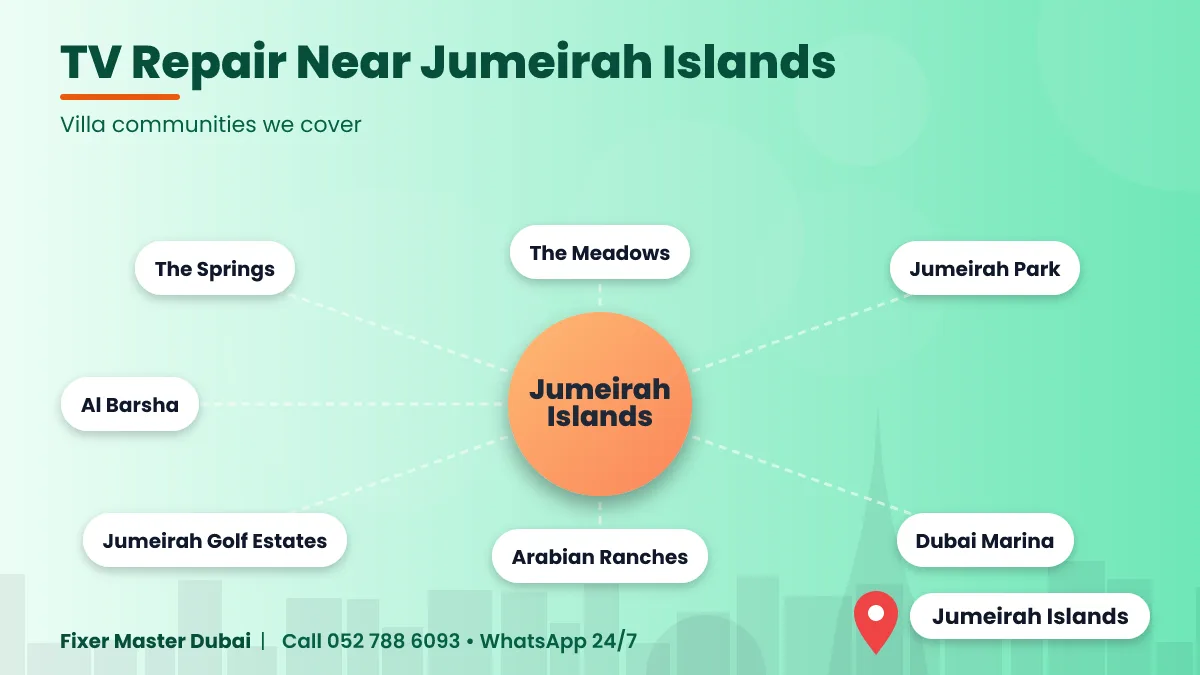
Asking why does my TV turn off by itself in Jumeirah Islands? This gated community of lakeside villas sits near The Springs, The Meadows and Jumeirah Park. Large villas often have several TVs, each with a soundbar and a box behind it. We also serve neighbours through TV repair in Jumeirah Islands and TV repair in The Springs, plus every area below.
- Jumeirah Islands .
- Al Warqa .
- Dubai Silicon Oasis .
- Dubai Production City .
- Al Karama .
- Business Bay .
- Downtown Dubai .
- Al Barsha South .
- Jumeirah Lakes Towers (JLT) .
- Jumeirah Park .
- Dubai Investment Park (DIP) .
- Jabal Ali First .
- Al Furjan .
- Discovery Gardens .
- Jumeirah Village .
- Dubai Sports City .
- Jumeirah Triangle .
- Arabian Ranches .
- Arabian Ranches 2 .
- DAMAC Hills .
- Jumeirah Golf Estates .
- The Springs .
- The Meadows .
- Al Barsha .
- JVC .
- JVT .
- Dubai Studio City .
- Motor City .
- Green Community East .
- Green Community West .
- Dubai Land .
- Al Mizhar 1 .
- Al Mizhar 2 .
- Al Mizhar 3 .
- Al Khawaneej 1 .
- Al Khawaneej 2 .
- Al Khawaneej 3 .
- Al Qusais .
- Mirdif .
- Al Warsan .
- Nad Al Hammar .
- Al Rashidiya .
- Oud Al Muteena 1 .
- Nad Al Sheba 1 .
- Nad Al Sheba 2 .
- Meydan .
- Meydan South .
- Mohammed Bin Rashid Al Maktoum City .
- DIFC .
- City Walk .
- Jumeirah 1 .
- Al Badaa .
- Al Jaddaf .
- Al Awir .
- Dubai Marina .
- Palm Jumeirah .
- Dubai Hills Estate .
- The Greens .
- Jumeirah 2 .
- Jumeirah 3 .
- Al Wasl .
- Bur Dubai .
Related reading: learn why TVs overheat so quickly in Dubai and how to protect a TV from voltage fluctuations. For prices, read TV repair cost in Dubai. Our home page shows every service we run.
Why Does My TV Turn Off by Itself? Common Questions.
Why does my TV turn off by itself at night?
A sleep timer or an auto power off setting is the usual cause. Check the timer and eco menus first. An HDMI device that sleeps can also switch the TV off. If settings are clear, heat or a weak power supply may be to blame.
Why does my TV turn off by itself after a few minutes?
Heat and a tired power supply are common causes. Give the TV space, plug it into a wall socket and let it cool. If it still switches off within minutes, a worn capacitor or board may need testing. Book a home test.
Why does my Samsung TV turn off by itself?
Check Sleep Timer, Auto Power Off and Anynet+ first. A Samsung that clicks and goes dark may have a power board fault. Update the software and try another socket. If the shutdowns continue, call us for a home test of the board.
Why does my LG TV turn off by itself?
Check Sleep Timer, Auto Power Off and SIMPLINK. A blinking light before shutdown can point to a protection fault. Power-cycle the TV for five minutes and try another wall socket. If the pattern repeats, a technician should test the power circuit.
Why does my TV turn off by itself and the red light blinks?
A blinking standby light is a fault report. The pattern can point to the power supply, the backlight or the board. Count the blinks and film them. Send the video to us on WhatsApp, and we will tell you the likely cause before the visit.
Why does my TV turn off by itself when the AC starts?
A voltage dip can trip the TV when a large load switches on. Plug the TV into a socket on another circuit and add a surge protector. If it still cuts out, ask an electrician to check the circuit and ask us to test the power supply.
Can a soundbar make my TV switch off?
Yes. HDMI-CEC lets linked devices send power commands. When the soundbar or box sleeps, it may switch the TV off too. Turn the link feature off on the TV and on the device, then test again over a few days.
Is it safe to keep using a TV that turns off by itself?
Use it with care. A setting problem is harmless, but a clicking sound, a burning smell or sparks are not. If you notice any of these, unplug the TV and call us. Do not open the back cover yourself.
Can heat in Dubai make a TV shut down?
Yes. Hot rooms, closed cabinets and dusty vents push the power supply and the main board harder. Leave a hand’s width of space around the TV and keep the room cool. If shutdowns continue, we can test the supply during a home visit.
Does a factory reset fix a TV that turns off by itself?
It can fix a software problem, but it will not cure a hardware fault. A reset also wipes your settings and logins. Try the free fixes first, then call us if the TV still shuts down after the reset.
How much does it cost to fix a TV that turns off by itself?
The cost depends on the cause, the screen size and the TV model. A setting is free to fix. A power supply or a board costs more. We test first and give a firm price before any repair begins.
Can a stuck remote button turn my TV off?
Yes. A sticky power button or weak batteries can send false commands. Remove the batteries and watch the TV for a day. If the shutdowns stop, replace the remote. If they continue, the fault is elsewhere in the TV.
How soon can a technician reach Jumeirah Islands?
Many visits happen the same day. Our phone and WhatsApp stay open around the clock. Send the model label, the blink pattern and a short video of the shutdown. That helps us bring the right part on the first trip.
Is Fixer Master an authorised service centre for TV brands?
No. We are independent and not authorised by any brand. If your warranty is active, speak to the seller or the brand first. For other cases, we can test and repair your TV at home, and we agree the price with you before we start.
Fix a TV That Turns Off by Itself: Call Us Now.
Do not live with a TV that keeps cutting out. If you still wonder why does my TV turn off by itself, call Fixer Master for a home test in Jumeirah Islands and all of Dubai. We answer 24/7, and many visits happen the same day.