
TV Green Screen? Causes, Safe Fixes and Help in DAMAC Hills.
A TV green screen is usually caused by a loose or faulty HDMI cable, a wrong colour or HDR setting, or a source box sending a signal the TV cannot read. Less often, a failing main board or T-con board is to blame. Start with the safe checks below. If the green stays, our technician fixes TVs in DAMAC Hills 24/7.
Why Is My TV Screen Green? The Short Answer.
Quick answer: a TV green screen means the TV is getting, or creating, a colour signal with the red and blue parts missing. When only the green part comes through, the whole picture turns green or takes a green tint.
In most homes the cause is outside the TV: an HDMI cable that is loose or too old for 4K, a set-top box or streaming stick with the wrong output setting, or a picture setting such as tint, colour space or HDR. These are easy to fix at home.
If the green also shows on the TV’s own menu, or in the built-in picture test, the fault is inside the TV. Then the HDMI port, the main board, the T-con board, a ribbon cable or the panel may be failing. Those jobs need a technician.
This guide walks you through each type of green screen, the safe checks to try, and when to stop and call for help. For full repairs, see our TV repair in Dubai service.
Seven Types of TV Green Screen and What They Mean.
Where and when the green appears tells you a lot. Match your TV green screen to one of these patterns.
Whole Picture Turns Bright Green .
Often a cable, a component input mix-up or a source box output setting. Check the source first.
Faces Look Greenish .
A TV screen green tint usually comes from the tint, colour balance or picture mode settings.
Green on One HDMI Input Only .
The other inputs look fine. Suspect that cable, that device or the HDMI port itself.
Green Only Inside One App .
Netflix or YouTube looks green but menus are fine. An app bug or HDR setting is likely.
Half the Screen Is Green .
One half or a block is green while the rest looks normal. Think T-con board or panel cables.
Green Lines or Green Blocks .
Stripes or blocks that stay on every input point to the panel or its driver circuits.
Green Even on the TV Menu .
If the settings menu is green too, the fault is inside the TV. Stop and book a technician.
TV Green Screen Causes, From Cables to Boards.
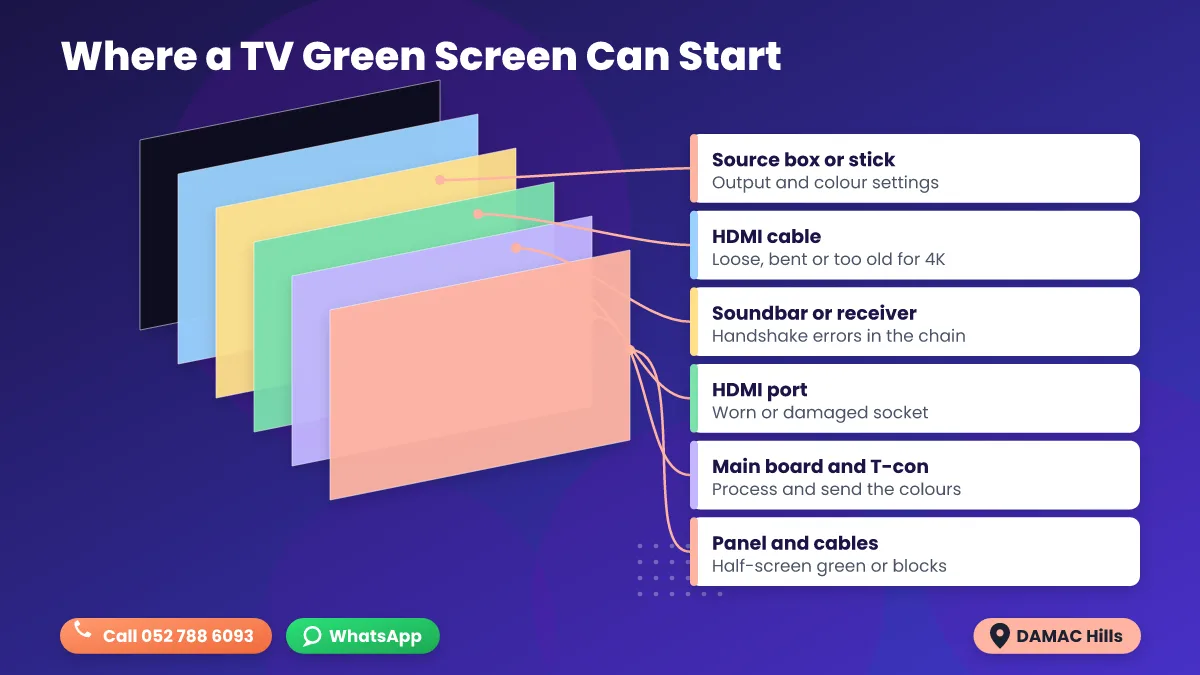
Every TV green screen starts somewhere along the signal path, from the source box to the panel. Here are the causes, from the most common to the least:.
- Loose or worn HDMI cable: A cable that is half out, bent sharply or too old for 4K HDR can drop colour data. Green is the colour that usually survives.
- HDMI handshake errors: Streaming sticks, soundbars and AV receivers must agree with the TV on format and copy protection. When they do not, the picture can flash or stay green.
- Colour format mismatch: A box set to RGB or YCbCr in a way the TV cannot read, or a 4K signal over an old cable, can tint the picture green.
- Picture settings: A changed tint, colour temperature, HDR or HDR+ mode, or a custom picture mode can push colours towards green.
- Component (YPbPr) input mix-up: On older boxes and DVD players, the green Y lead carries the picture. If the red and blue leads are missing or swapped, the image looks green.
- Software glitches: Old firmware or an app bug can show a green video window while the rest of the TV looks normal.
- Hardware faults inside the TV: A failing HDMI port, main board, T-con board, ribbon cable or panel can create the green screen on every input.
Dubai homes add their own stress. Heat around a media wall, dust in the vents and power dips can all speed up wear on the boards and ports. The table sums up each cause.
| Cause | How to Spot It | Who Can Fix It |
|---|---|---|
| Loose or old HDMI cable | Green comes and goes when you touch the cable | You, with a new certified cable |
| Source box output setting | Green only from one box or stick | You, in the box settings |
| Tint or HDR setting | Soft green tint on faces | You, by resetting the picture |
| Component lead mix-up | Green picture from an older box | You, by fixing the colour leads |
| App or software bug | Green only in one app | You, with an update or cache clear |
| HDMI port fault | Green on one port with any device | A technician |
| Main board or T-con fault | Green on the TV menu too | A technician |
| Panel or ribbon cable fault | Half screen or blocks stay green | A technician |
TV Green Screen: Is It the TV or the Source?
Run the Built-In Picture Test .
Many Samsung and LG TVs have a picture test in the support menu. Green in the test means a TV fault.
Open the TV's Own Menu .
Press Home or Settings. If the menu looks normal over the green screen on TV, the source is the problem.
Try a Second Device and Cable .
Plug a different box or console into the same port with a new cable. Normal colour clears the TV.
TV Green Screen Symptom Checker.
Use this table to narrow down your TV green screen fix before you change anything.
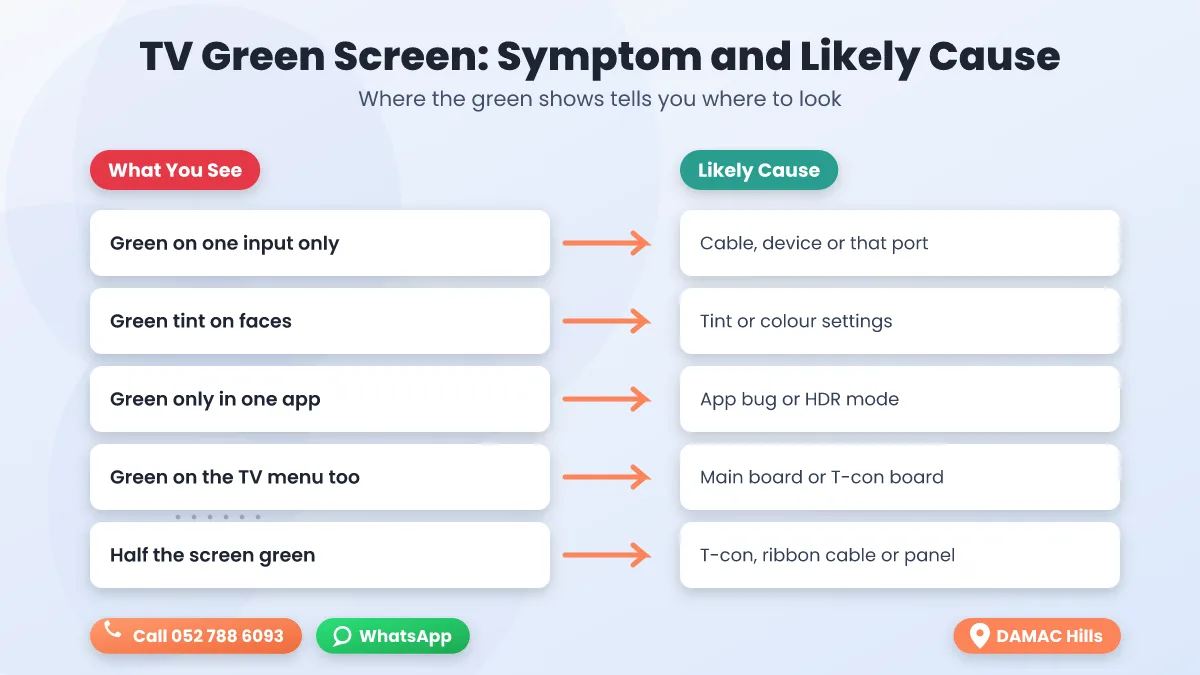
| What You See | Most Likely Cause | First Thing to Try |
|---|---|---|
| Whole screen green from the box | Cable or box output setting | Reseat or swap the HDMI cable |
| Green on one input only | Cable, device or that HDMI port | Move the device to another port |
| Green tint on faces | Tint or colour settings | Reset the picture settings |
| Green only in one app | App bug or HDR mode | Update the app, clear its cache |
| Green flashes with a soundbar | HDMI handshake via the soundbar | Connect the source straight to the TV |
| Green from an old DVD player | Component lead mix-up | Match the red, green and blue leads |
| Green on the TV menu too | Main board or T-con board | Book a technician |
| Half the screen green | T-con board, ribbon cable or panel | Book a technician |
9 Safe Fixes to Try for a TV Green Screen.
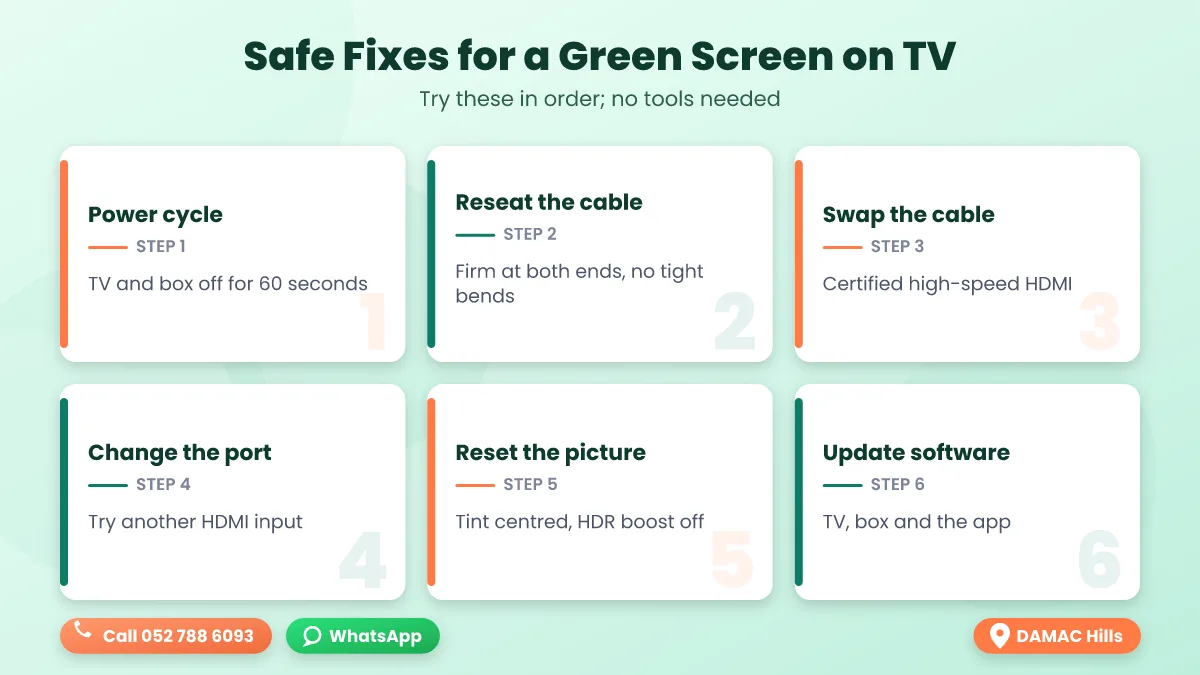
Work through these safe fixes in order. None of them needs tools or opening the TV.
- Power cycle everything: Turn off the TV and the source box, unplug both for 60 seconds, then switch on the TV first and the box second.
- Reseat the HDMI cable: Unplug it at both ends and push it in firmly. Remove any tight bends.
- Swap the cable: Try a certified high-speed HDMI cable, especially for 4K HDR. Old cables are a top cause.
- Change the port: Move the device to another HDMI port on the TV.
- Go direct: If a soundbar or AV receiver sits in between, connect the source straight to the TV to test.
- Reset the picture: Use the picture reset option in the TV menu. Set tint to the middle and turn off HDR+ or similar boost modes.
- Check the source settings: On the box or stick, set the resolution and colour format to Auto, or try a lower resolution.
- Update the software: Update the TV, the box and any app that shows the green screen.
- Fix component leads: On an older player, match the red, green and blue plugs to the same colours on the TV.
Stop and call a technician if the green shows in the TV menu or the picture test, if you smell burning or hear crackling, or if the screen shows lines or a dark half. Never open the back cover or press on the panel. The boards inside can hold a dangerous charge, and the panel cracks easily. Samsung UAE explains its TV self-diagnosis and support tools, and LG UAE has official help for LG TV owners.
Screen Still Green After the Safe Fixes?
Then the TV green screen fault is most likely inside the TV. Unplug it and send us a photo of the green screen and the model label. Our technician serves DAMAC Hills and the rest of Dubai 24/7, often on the same day.
How We Handle a TV Green Screen in DAMAC Hills.
A TV green screen repair follows the signal path, step by step, so we find the real fault and do not replace parts that work. Most port and board jobs are done during the visit at your DAMAC Hills villa, townhouse or apartment.
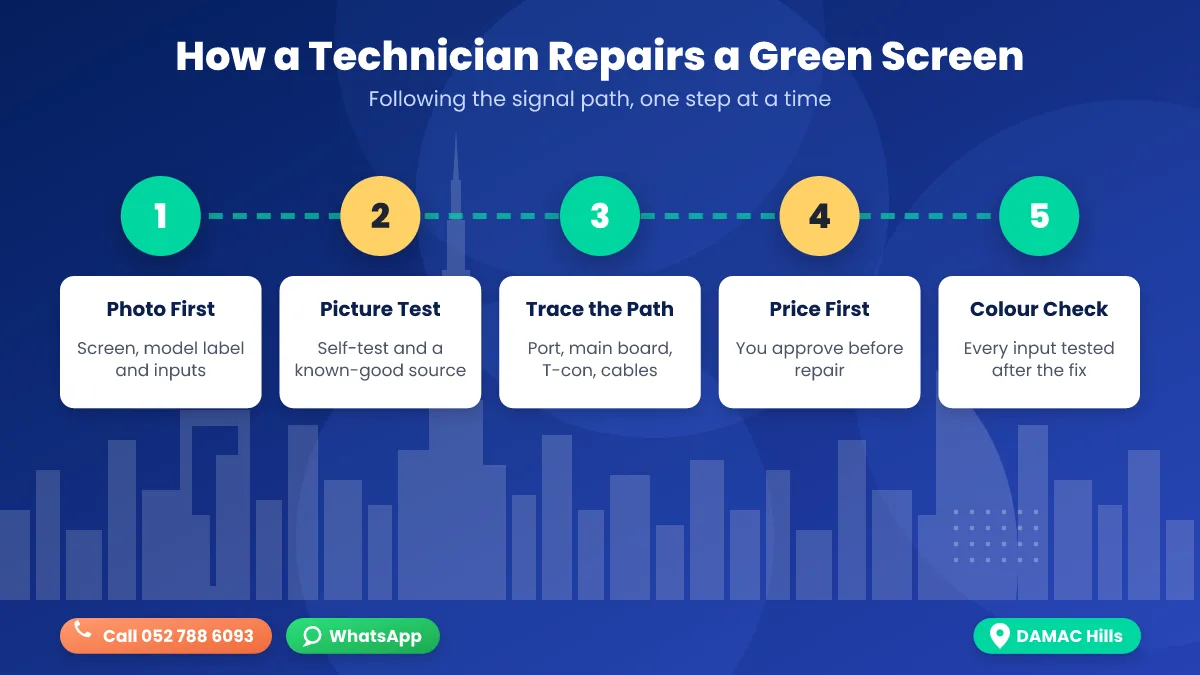
1. Share a Photo of the Green Screen .
Send a photo of the screen, the model label and which inputs or apps show the green.
2. Picture Test and Source Check .
We run the TV self-test and try a known-good source and cable.
3. Trace the Fault Along the Path .
We check the HDMI port, main board, T-con board and panel cables in order.
4. Price Before Any Repair .
We explain the fault and the price. Nothing starts until you agree.
5. Repair and Colour Check .
We fix the part, reset the picture and test colour on every input.
Green Screen Tips for Samsung, LG, Sony, TCL and Hisense.
Each brand gives you tools to check a green screen:.
- Samsung: Run the picture test under Settings, Support, Device Care, Self Diagnosis (older models: Settings, Support, Self Diagnosis). Turn off HDR+ in the expert picture settings if colours look odd.
- LG: Find the picture test in the support or additional settings menu. Turn on HDMI Ultra HD Deep Colour for a 4K box, and off for an older HD box.
- Sony BRAVIA: Reset the picture settings and check the HDMI signal format setting for the input in use. Update the software from the settings menu.
- TCL and Hisense: Reset the picture mode, update the software and test another HDMI port. Many Google TV models also let you clear an app’s cache in the apps menu.
Menu names change between models and years, so check your manual if a menu looks different. Fixer Master is an independent repair service, not a brand’s authorised service centre. If your TV is under warranty, contact the seller or the brand first.
Is a TV Green Screen Worth Repairing?
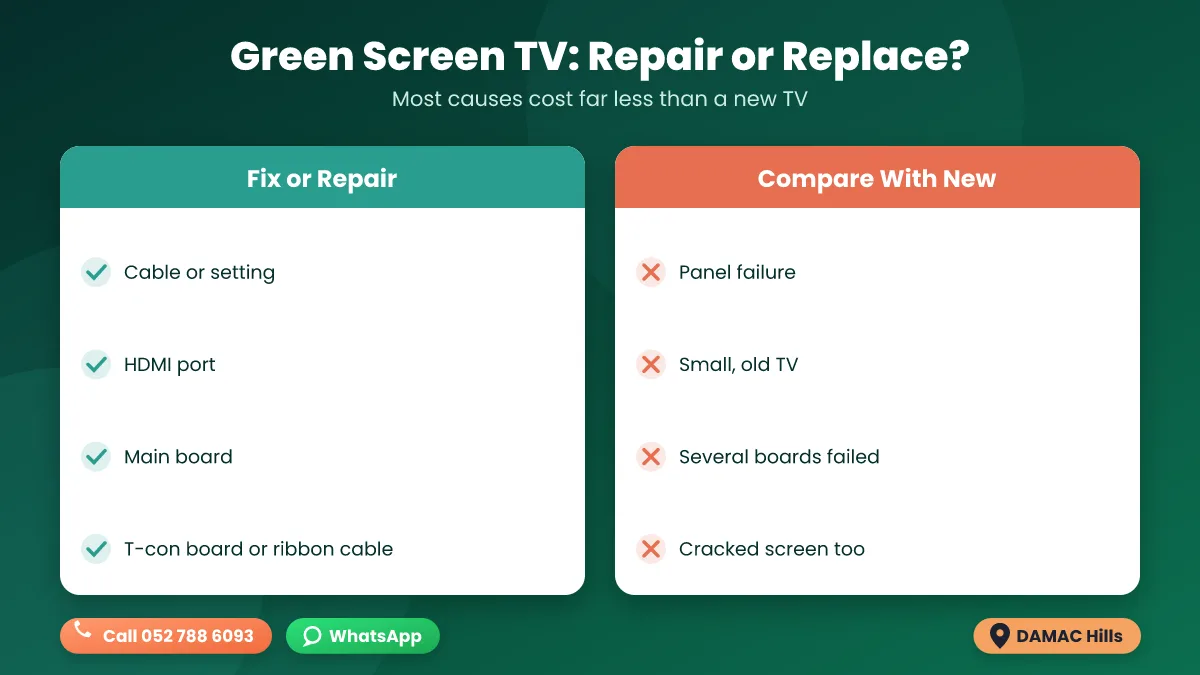
Usually, yes. Most cases of TV green screen come from cables or settings that cost little or nothing to fix. Inside the TV, an HDMI port, main board or T-con board repair is usually far cheaper than a new TV, especially for 55-inch and larger sets.
A green screen caused by the panel is the main exception. When the panel itself fails, a new one can cost close to a new TV. On a small or old set, buying new is often the better choice.
| Fault Found | Usual Advice | Why |
|---|---|---|
| Cable or setting | Fix at home | No part needed |
| HDMI port | Repair | A contained, low-cost job |
| Main board | Repair in most cases | Brings back colour and inputs |
| T-con board or ribbon cable | Repair | Often clears half-screen green |
| Panel | Compare with a new TV | Panel cost can match a new set |
Our technician tells you which part failed and the price, and you decide.
Why DAMAC Hills Homes Call Us for Picture Faults.
When the safe fixes do not work, here is what you get from our TV repair team.
- 24/7 bookings by call or WhatsApp .
- Same-day visits where possible .
- Price agreed before any work .
- Source, cable and TV all tested .
- All major TV brands repaired .
- Signal path traced step by step .
- Honest repair or replace advice .
- Colour checked on every input .
How to Stop a TV Green Screen Coming Back.
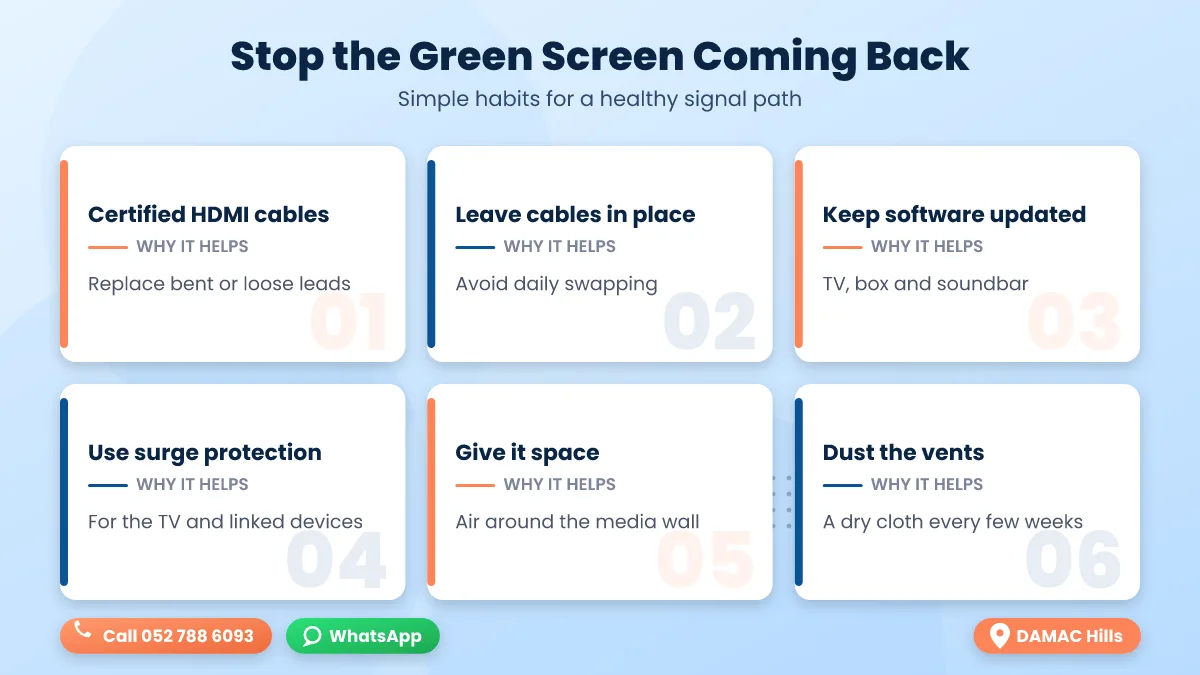
Once the colours are back, these habits help you avoid another TV green screen. In short, keep the signal path healthy:.
- Use certified high-speed HDMI cables, and replace any that are bent or loose.
- Leave cables plugged in instead of swapping them every day.
- Keep the TV, box and soundbar software up to date.
- Use a surge protector for the TV and its linked devices.
- Give the TV space to breathe in a media wall or cabinet.
- Dust the vents with a dry cloth every few weeks.
TV Repair in DAMAC Hills and Across Dubai.
Dealing with a TV green screen in DAMAC Hills? DAMAC Hills, once called Akoya by DAMAC, is a golf community off Al Qudra Road with villas, townhouses and apartments around the Trump International Golf Club. Large TVs in media walls with soundbars are common here, so we check the whole HDMI chain, not only the TV. Nearby areas include Arabian Ranches 2, Arabian Ranches, Motor City and Dubai Sports City. We also visit homes for TV repair in Arabian Ranches, plus every area below.
- DAMAC Hills .
- Al Warqa .
- Dubai Silicon Oasis .
- Dubai Production City .
- Al Karama .
- Business Bay .
- Downtown Dubai .
- Al Barsha South .
- Jumeirah Lakes Towers (JLT) .
- Jumeirah Park .
- Dubai Investment Park (DIP) .
- Jabal Ali First .
- Al Furjan .
- Discovery Gardens .
- Jumeirah Village .
- Dubai Sports City .
- Jumeirah Triangle .
- Arabian Ranches .
- Arabian Ranches 2 .
- Jumeirah Golf Estates .
- Jumeirah Islands .
- The Springs .
- The Meadows .
- Al Barsha .
- JVC .
- JVT .
- Dubai Studio City .
- Motor City .
- Green Community East .
- Green Community West .
- Dubai Land .
- Al Mizhar 1 .
- Al Mizhar 2 .
- Al Mizhar 3 .
- Al Khawaneej 1 .
- Al Khawaneej 2 .
- Al Khawaneej 3 .
- Al Qusais .
- Mirdif .
- Al Warsan .
- Nad Al Hammar .
- Al Rashidiya .
- Oud Al Muteena 1 .
- Nad Al Sheba 1 .
- Nad Al Sheba 2 .
- Meydan .
- Meydan South .
- Mohammed Bin Rashid Al Maktoum City .
- DIFC .
- City Walk .
- Jumeirah 1 .
- Al Badaa .
- Al Jaddaf .
- Al Awir .
- Dubai Marina .
- Palm Jumeirah .
- Dubai Hills Estate .
- The Greens .
- Jumeirah 2 .
- Jumeirah 3 .
- Al Wasl .
- Bur Dubai .
Related reading: if only one input fails, see our guide to TV HDMI port repair. If you also see stripes, read about lines on an LED screen. For other repairs, visit our home appliance repair in Dubai page.
TV Green Screen: Questions People Ask.
Why is my TV screen suddenly green?
A sudden TV green screen is most often a loose HDMI cable, a source box that changed its output setting, or a software glitch. Power cycle the TV and the box, then reseat the cable. If the TV menu itself turns green, the fault is inside the TV.
How do I fix a green screen on my TV?
For a quick TV green screen fix, start with a power cycle, then reseat or replace the HDMI cable, try another port, reset the picture settings and set the source to Auto resolution. Update the software. If the green shows on the TV menu or picture test, book a technician.
Can a bad HDMI cable cause a green screen on a TV?
Yes. A loose, bent or old HDMI cable is one of the most common causes. It can drop the red and blue colour data, leaving a green picture. A certified high-speed cable, pushed in firmly at both ends, often solves it straight away.
Why is my TV green only on Netflix or YouTube?
When only one app looks green, the cause is usually that app or an HDR setting. Update the app, clear its cache, and update the TV software. Try turning off HDR boost modes. If every app turns green, look at the cable or the TV instead.
Why is half my TV screen green?
A green half or block that stays on every input usually points to the T-con board, a ribbon cable or the panel. These are inside the TV and need a technician. Do not press on the screen or open the back, as you could make it worse.
Is a TV green screen fixable?
Yes, in most cases, a TV green screen can be fixed. Cable and setting faults cost little to fix, and port, main board and T-con repairs are usually far cheaper than a new TV. Only panel faults are often not worth repairing on small or older sets.
Should I factory reset my TV if the screen is green?
Try it only after the simple fixes, because a reset erases your apps and settings. It can clear a software fault. If the screen is still green after the reset, the problem is in the hardware, and a technician should check the TV.
Do you offer same-day TV green screen repair in DAMAC Hills?
Yes, where possible. We take bookings 24/7 and often reach DAMAC Hills villas, townhouses and apartments the same day. Send a photo of the screen and the model label on WhatsApp, and keep the TV unplugged if you smell burning.
How much does it cost to fix a TV green screen in Dubai?
The cost depends on the cause. A cable or setting costs little or nothing, while a port, main board or T-con repair costs more, and a panel costs the most. Our technician tests the TV first and gives a clear price before any work.
Why is my TV green when the set-top box is connected?
The box may be sending a resolution or colour format the TV cannot read. Set the box output to Auto, or try a lower resolution, and use a good HDMI cable. If other devices look fine on the same port, the box or its settings are the cause.
Get Your TV Green Screen Fixed Today.
Tried the safe fixes and the TV green screen is still there? Call Fixer Master. Our technician visits DAMAC Hills and all of Dubai 24/7, with same-day visits where possible.