
YouTube or Netflix buffers on Smart TVs in Dubai mainly due to slow or unstable internet, Wi-Fi interference, network congestion in high-rise buildings, outdated TV firmware, or app performance issues.
How Streaming Works: Why Smart TVs Buffer Content
To understand why YouTube or Netflix buffers on Smart TVs in Dubai, it helps to know what happens behind the scenes. Streaming platforms like YouTube and Netflix send video from nearby CDNs (Content Delivery Networks).
Your Smart TV uses adaptive bitrate streaming, adjusting video quality based on real-time internet speed. When speed drops, the buffer empties faster than it fills, causing the loading circle.
Buffering also happens due to packet loss, latency, and jitter—tiny delays between your TV, router, ISP, and the CDN. In Dubai, ISP congestion, shared building bandwidth, and international routing paths increase these interruptions.
You may also experience rebuffering, which occurs during playback. This is usually caused by weak Wi-Fi, poor 5 GHz coverage, or barriers like walls and long distances from the router. Even with a fast plan, unstable Wi-Fi delivery can make your Smart TV run out of data, leading to continuous buffering.
How to Test Why YouTube or Netflix Buffers on Smart TVs in Dubai — Quick Diagnostics
| Diagnostic Test | What to Do | What It Tells You |
|---|---|---|
| Run a Speed Test on Your Smart TV | Use speedtest.net or built-in TV speed test. | Confirms if bandwidth meets HD/4K requirements. |
| Check for Packet Loss & Jitter | View network diagnostics on your TV or router. | Detects interruptions that cause buffering. |
| Compare Ethernet vs Wi-Fi | Test the same video on Ethernet vs Wi-Fi. | Identifies if wireless interference is the issue. |
| Test Different DNS Servers | Switch to Google DNS (8.8.8.8) or Cloudflare DNS (1.1.1.1). | Shows if routing issues affect streaming. |
| Check Router QoS Settings | Prioritize the Smart TV in your router’s QoS menu. | Ensures your TV gets stable bandwidth. |
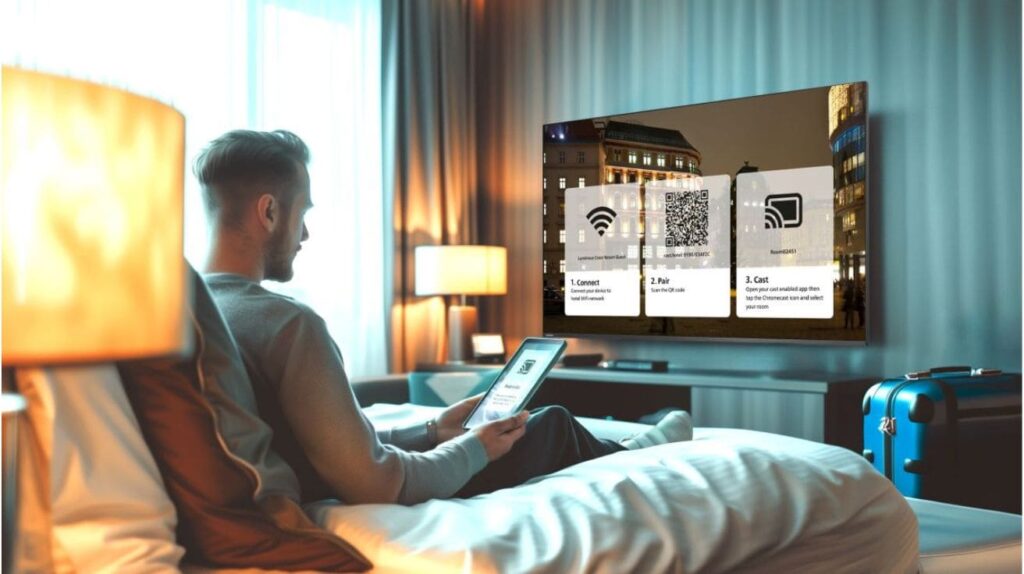
Fast Fixes to Stop YouTube or Netflix Buffering on Smart TVs in Dubai
These quick actions solve most cases of YouTube or Netflix buffering on Smart TVs in Dubai:
- Restart your TV and router
Clears cache, resets routing, and restores performance. - Use Ethernet if possible
Eliminates Wi-Fi issues and guarantees stability. - Move the router / Use 5 GHz
Fixes signal loss from walls and long distances. - Clear Netflix/YouTube app cache
Removes corrupted data that causes lag and buffering. - Update Smart TV firmware
Improves Wi-Fi drivers, codecs, and app performance. - Lower stream quality temporarily
Reduces buffering during bandwidth dips. - Close background devices
Stops phones, downloads, and calls from using your bandwidth.
Main Causes of Why YouTube or Netflix Buffers on Smart TVs in Dubai
Several technical and environmental factors combine to explain why YouTube or Netflix buffers on Smart TVs in Dubai, especially in modern high-rise living.
1.Internet Connection Speed
Different streaming qualities need different speeds:
- SD: 3–4 Mbps
- HD: 5–10 Mbps
- 4K: 20–25 Mbps minimum
If multiple devices share the network, these requirements double. A momentary dip in bandwidth triggers buffering instantly.
2. Wi-Fi Interference and Weak Signals
In Dubai’s apartment towers, routers sit close together, saturating both 2.4 GHz and 5 GHz bands. Walls, elevators, mirrors, and even kitchen appliances weaken signals. Poor router placement increases packet loss and latency.
3. Smart TV CPU Limitations & App Performance
Older Smart TVs often cannot process high-bitrate 4K streams smoothly. Heavy apps like Netflix and YouTube can stutter when the CPU runs hot or storage is low. Clearing the app cache or deleting unused apps often helps.
Software Updates
Outdated TV software can cause app crashes, slow loading, and buffering.
- Skipped updates may leave Wi-Fi drivers, cache management, or codecs outdated.
- Regular firmware updates improve network handling and streaming performance on Samsung, LG, and Android TVs.
Compatibility Problems
Older or budget Smart TVs may struggle with modern apps due to limited processors, RAM, or Wi-Fi chips.
- Models like Samsung Tizen (2016–2018), early LG WebOS, and first-gen Android TVs often freeze or buffer.
- Using a streaming stick (Chromecast, Fire TV) can bypass compatibility issues and ensure smoother playback.
4. ISP Congestion and CDN/Peering Bottlenecks
Even on fast Etisalat or Du plans, evening congestion slows everything.
ISP peering, where your provider connects to Netflix and YouTube servers, directly affects speed. If the route is crowded or poorly optimized, buffering increases.
5. Temporary Netflix or YouTube Outages
Sometimes the issue is not your TV at all. Platform outages, CDN errors, or regional server overloads cause sudden buffering even with perfect internet.
Dubai-Specific Issues Affecting Streaming on Smart TVs
Streaming behaves differently in Dubai compared to many other regions, which is why understanding local patterns helps diagnose why YouTube or Netflix buffers on Smart TVs in Dubai.
- High-Rise Shared Bandwidth Hundreds of users share the same ISP node → evening slowdowns.
- Peak-Hour Traffic (7pm–11pm) CDNs fill up, causing buffering.
- Etisalat & Du Routing Routing paths sometimes cause delays to YouTube CDN clusters.
- 5 GHz Limitations Concrete walls reduce signal—Mesh Wi-Fi becomes essential.
- VPN Interference VPNs introduce latency and sometimes throttling.
Why Choose Fixer Master Dubai for Smart TVs
If your YouTube or Netflix buffer on Smart TVs in Dubai, Fixer Master Dubai offers reliable, expert solutions tailored to Dubai networks.
What Makes Fixer Master Dubai Stand Out:
- Certified Technicians: Samsung, LG, Sony, Android TVs.
- Same-Day Troubleshooting: On-site service anywhere in Dubai.
- Comprehensive Fixes: Wi-Fi connectivity, firmware updates, and app errors.
- Legal Guidance for Geo-Restricted Apps: Support with region-limited apps.
- Affordable & Transparent Pricing: Clear quotes with no hidden fees.
- Flexible Support Options: On-site or remote solutions for convenience.
Professional Repair Options for Smart TVs / Fixer Master Dubai
Fixer Master Dubai provides fast, professional troubleshooting for Smart TVs in Dubai. Certified technicians resolve Wi-Fi connectivity, firmware glitches, and app issues across Samsung, LG, Sony, and Android TVs.
Call 0527886093 or book online for expert Smart TV repair and Wi-Fi support in the Dubai .