
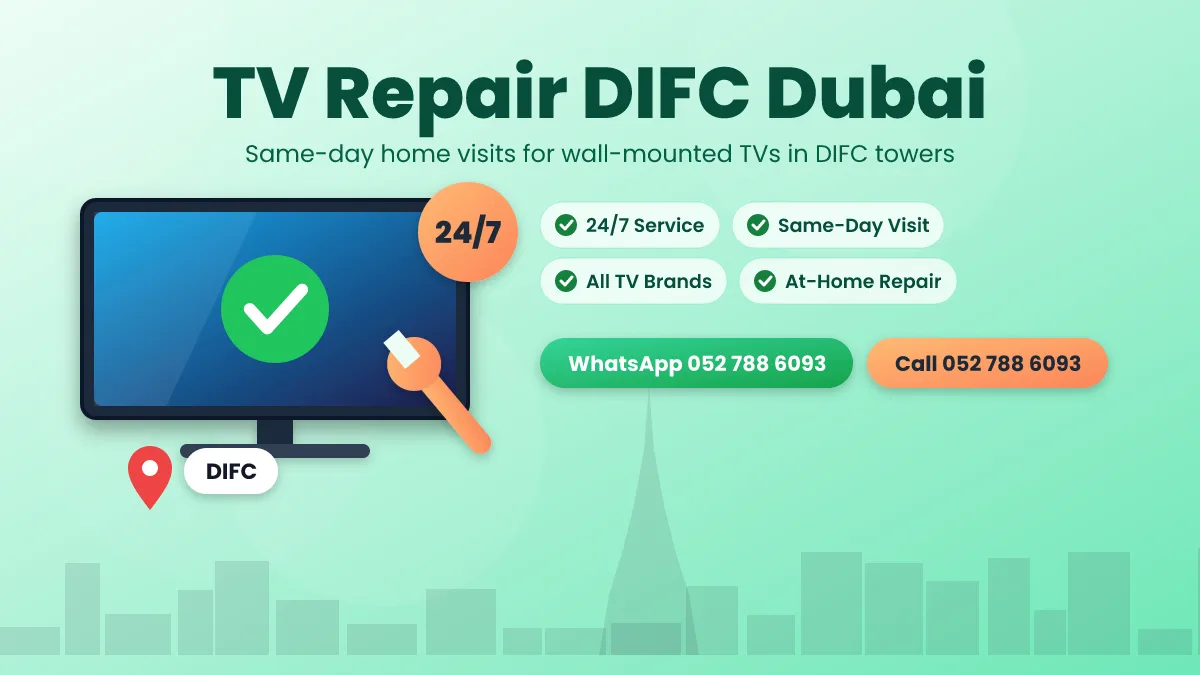
TV Repair DIFC Dubai: Same-Day Fixes for Tower Homes.
Need reliable TV repair DIFC Dubai at your tower apartment? Fixer Master visits DIFC day and night to fix LED, QLED, OLED and smart TVs with lines, no sound or no power. We test at home, agree the price first and often finish the same day. Call 052 788 6093 or WhatsApp a photo.
TV Repair DIFC Dubai: Home Service for Tower Residents.
TV repair DIFC Dubai starts with a quick call, a home visit and a careful test. The technician checks the power supply, backlight strip, T-con board, main board, HDMI ports and software, then explains the fault and the price in plain words.
DIFC is the Dubai International Financial Centre, a business district beside Downtown Dubai and the Sheikh Zayed Road corridor. Around it stand apartment towers and serviced residences, and many owners hang a slim screen above a sideboard or on a feature wall.
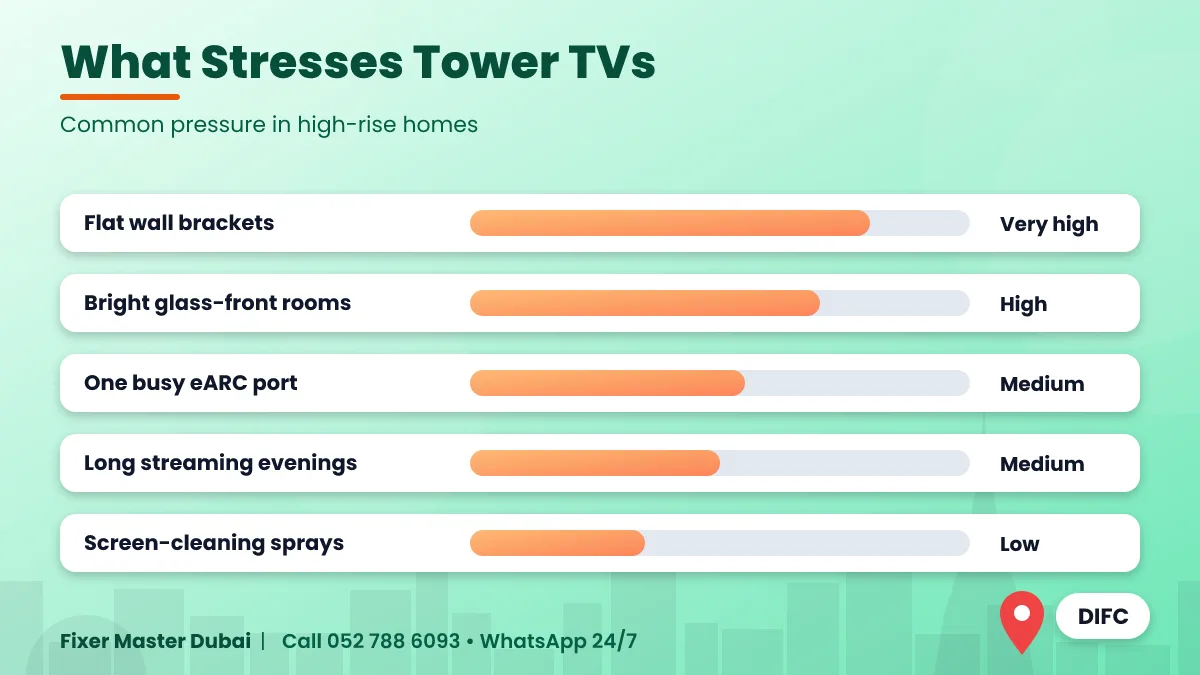
Tower living shapes TV faults. Screens hang flat on brackets with little airflow. One HDMI port often feeds a soundbar, a streaming box and a console. Glass towers add bright afternoon light, so owners push the brightness high. Our TV repair DIFC Dubai team repairs LED, QLED, OLED, Mini-LED, smart TV and older LCD sets, usually without taking them off the wall.
Unsure if the fault is serious? Send a short clip on WhatsApp and we will share a first opinion.
Our main TV repair in Dubai page lists every service, and the TV repair in Downtown Dubai page covers the next district.
Faults DIFC Tower Residents Report Most.
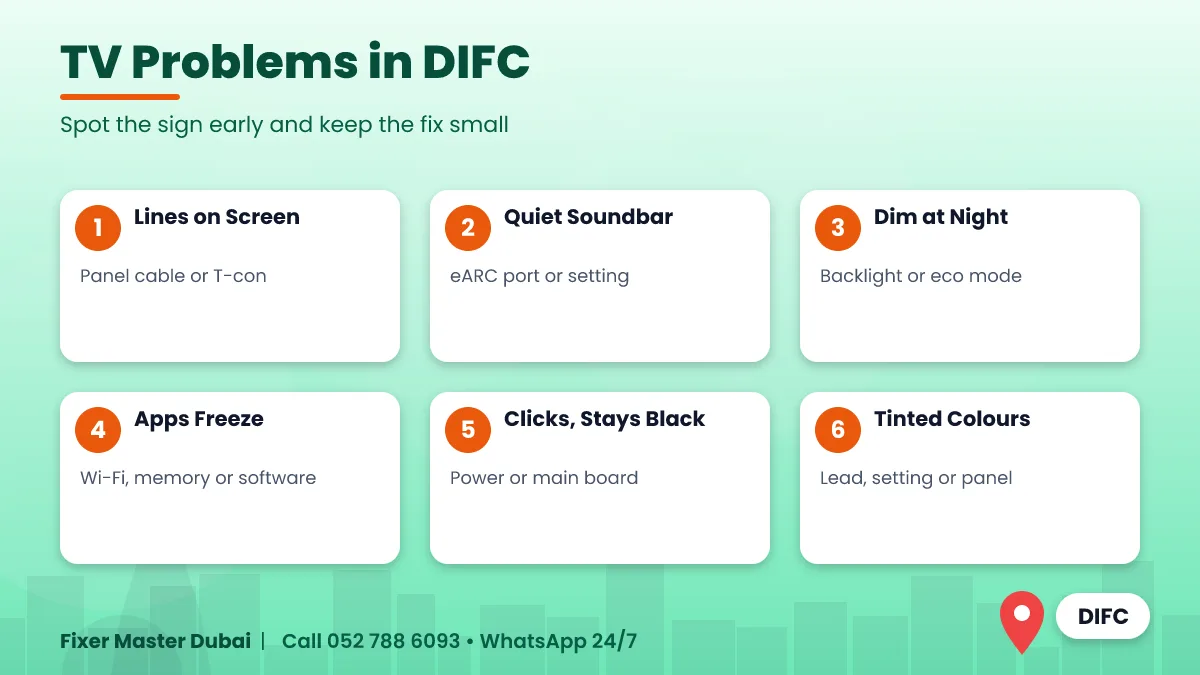
Residents who call for TV repair help usually describe one of these signs. Acting early keeps the repair small.
Picture Has Lines or Bars .
Thin bars cross the picture after a knock or a mount change. A loose panel cable or a tired T-con board is the usual cause.
Soundbar Stays Silent in the Room .
The picture plays but the room stays silent. The eARC port, the audio output setting or the optical lead may be at fault.
Screen Looks Dim at Night .
The picture fades in a dark room. A weak backlight strip or a wrong energy-saving mode may be behind it.
Wi-Fi Drops or Apps Stall .
Streaming freezes in a busy tower. The Wi-Fi module, the router channel or old software needs a look.
TV Clicks and Stays Black .
A click comes with a standby light but no picture. Both the power board and the main board need a proper test.
Colours Look Washed or Tinted .
Green, pink or grey tints spoil the image. A bad HDMI lead, a picture setting or the panel may be to blame.
Remote Works Only Sometimes .
Buttons lag or fail. Weak batteries, a blocked IR window or an HDMI-CEC clash may be the reason.
Why Tower TVs Develop Faults in Dubai.
Tower living is comfortable, but it is hard on screens. These are the causes we meet most on TV repair visits:.
- Flat-to-wall brackets: A TV pressed against the wall gets little air around the vents.
- Bright glass-fronted rooms: High brightness all day ages the backlight faster.
- One busy HDMI port: A single eARC port feeds the soundbar, the box and the console.
- Long streaming evenings: Hours of use keep the power board and the processor warm.
- Summer room heat: Warm rooms push the capacitors close to their limit.
- Cleaning with sprays: Liquid can seep behind the bezel and reach the panel edge.
- Voltage dips: Shared building circuits and large air conditioners can stress the power supply.
Good habits lower the risk, yet a sign you already see deserves a test. Call us for TV repair help at the first symptom. The table pairs common viewing habits with the faults we meet most.
| Viewing Habit | Usual TV | Common Problem | First Step |
|---|---|---|---|
| Evening streaming | 55 to 75-inch smart TV | Apps freeze or Wi-Fi drops | Restart the TV and move the router closer |
| Soundbar movie nights | 65 to 85-inch OLED or QLED | Sound goes quiet | Pick the soundbar output again in the menu |
| Daytime viewing in bright rooms | 55 to 75-inch LED | Picture looks dim | Reset the picture mode and compare |
| Console gaming | 55 to 77-inch TV | Frames stutter | Try a certified HDMI lead in another port |
| Bedroom viewing | 40 to 55-inch TV | Standby light, no picture | Hold the power key for thirty seconds |
Screen Types We Repair Inside DIFC Towers.
Slim OLED and QLED Screens .
Premium panels that need gentle handling. Our TV repair DIFC Dubai team inspects the panel cable, the T-con board and the power board on site.
Large Living-Room LED Sets .
Big screens in open-plan flats, repaired with care on every TV repair DIFC Dubai call. We test the backlight strips, the power supply and the mount tension.
Smart TVs and Streaming Boxes .
Screens built around apps and Wi-Fi. Our checks cover software health, spare memory and the Wi-Fi module.
TV Repair DIFC Dubai: Fault Finder Table.
Scan the table, match the sign on your screen and send us that line on WhatsApp. The TV repair DIFC Dubai technician then brings the part most likely to help.
| What You Notice | Likely Cause | Easy Test | Typical Remedy |
|---|---|---|---|
| Bars across the picture | Loose panel cable or T-con | Switch off for two minutes | Cable or T-con repair |
| Silent soundbar | eARC port or audio setting | Pick another sound output | Port or setting repair |
| Dim picture at night | Weak backlight or eco mode | Turn the energy saver off | Backlight repair |
| Frozen apps | Memory, software or Wi-Fi | Restart and update the TV | Software or module repair |
| Click then black screen | Power board or main board | Unplug for five minutes | Board repair |
| Tinted colours | HDMI lead or panel | Swap the lead and reset the picture | Lead or panel advice |
| Remote fails | Batteries or IR window | Fit new batteries | Remote replacement |
Safe Checks Before You Call a TV Technician.
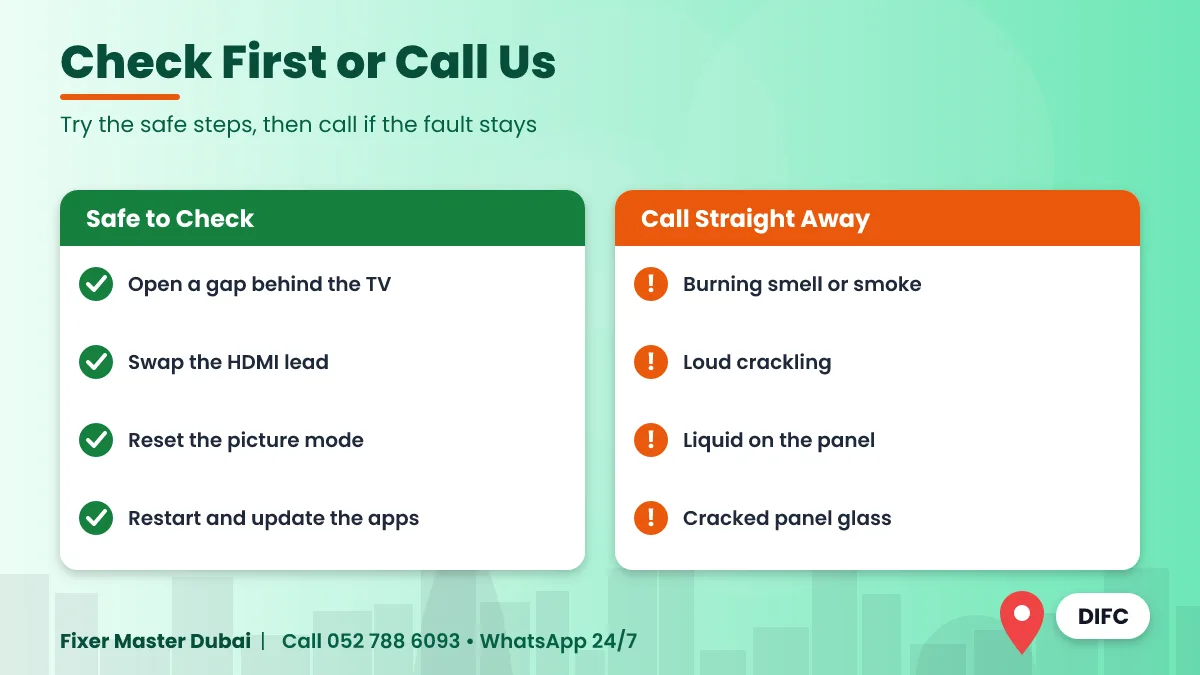
Try these safe steps before you book TV repair DIFC Dubai help:.
- Let it breathe: Switch the TV off and open a small gap behind it for thirty minutes.
- Swap one lead: Try another certified HDMI lead and test again.
- Reset the picture: Return to the standard mode and compare the screen.
- Check the sound path: Choose the TV speakers, then the soundbar, in the audio menu.
- Restart the apps: Close the app, restart the TV and install any update.
Switch off and call us at once if the TV smells of burning, crackles loudly or has liquid on the panel. Please keep the rear cover closed. For warranty questions, see LG UAE support or Samsung UAE support.
Book TV Repair DIFC Dubai for Today.
Tried the steps and the screen still misbehaves? Send the model label, a short video and your tower name. We will arrange TV repair DIFC Dubai support, often on the same day.
How Our TV Repair DIFC Dubai Visit Works.
A TV repair DIFC Dubai appointment has five simple steps, and we aim to finish the job in one trip.
The technician checks the mount, the airflow and the cables. Then the TV is tested with your own box or console. If a part must be ordered, we fix a return slot with you and send updates by message.
Please tell us the tower name and any building access rules before the visit, so the technician reaches your door without delay.
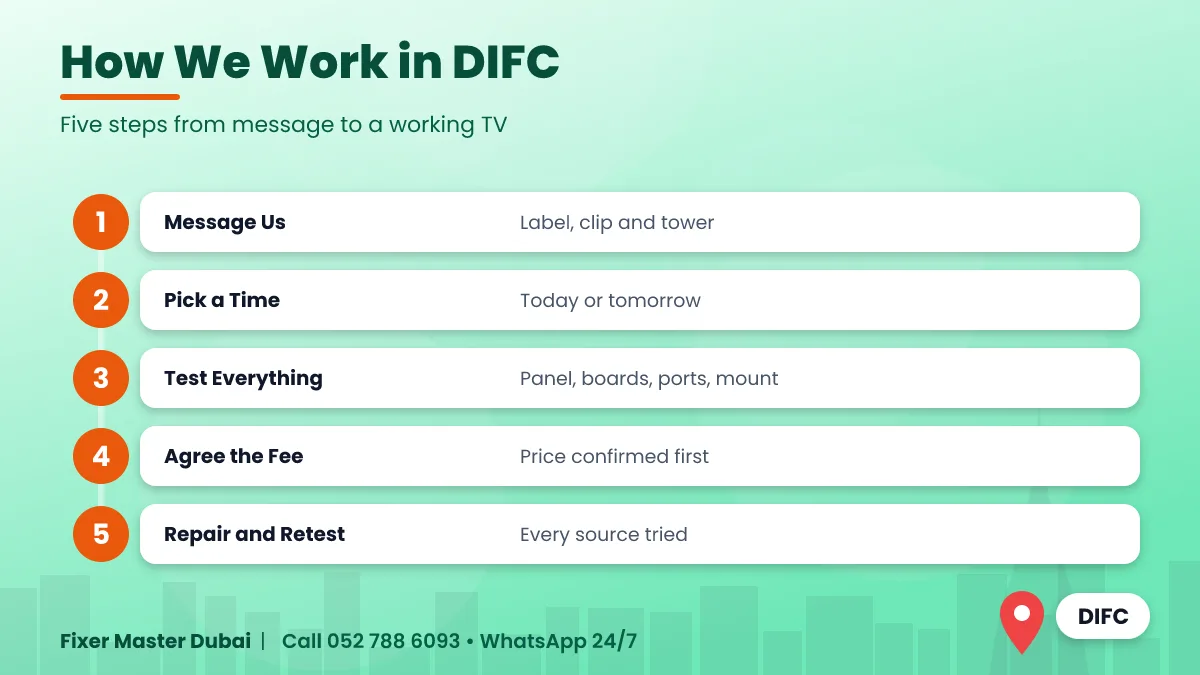
1. Send Model and Tower Name .
Label photo, fault clip and tower.
2. Choose Your Visit Slot .
Today, tonight or tomorrow.
3. Inspect Panel, Boards and Ports .
Mount and cables are checked too.
4. Confirm the Quote .
You hear the price first.
5. Fix It and Try Every Source .
Box, console and soundbar tested.
TV Brands We Repair for DIFC Customers.
We repair the makes common in Dubai towers: Samsung, LG, Sony BRAVIA, TCL, Hisense, Philips, Xiaomi, Panasonic, Toshiba and Sharp.
Every make has its habits. A Sony BRAVIA with a tired backlight may dim on one side only. An LG set may restart when its software hangs. A Samsung TV may flicker when the power board weakens. TCL and Hisense sets in busy towers often face Wi-Fi drops. These patterns guide each TV repair DIFC Dubai test.
Brand guides for tower owners: Samsung TV service guide, LG TV service guide and Sony TV service guide.
Fixer Master is an independent repair service and holds no brand authorisation. If your TV is still under warranty, speak to the seller or the brand before anyone opens the set.
Should You Repair or Replace a Tower-Flat TV?
Is a TV worth repairing? Usually, yes. A worn HDMI port, a faulty power board, a dim backlight or a software glitch costs less than a new screen, so TV repair DIFC Dubai work often saves money.
Replacement makes more sense when the panel is cracked, when liquid has reached the display or when severe burn-in covers the picture.
| Issue | Our Advice |
|---|---|
| Worn HDMI port | Port repair |
| Silent soundbar | Setting or eARC fix |
| Dim backlight | Backlight repair |
| Frozen apps | Software reflash |
| Bars from a loose cable | Cable or T-con repair |
| Cracked panel | Compare repair and a new TV |
| Severe OLED burn-in | Often replace |
| Liquid inside the screen | Usually replace |
With every TV repair DIFC Dubai job we explain the fault and the fee first. The choice stays with you.
What DIFC Customers Value in Our Service.
Each TV repair DIFC Dubai booking comes with these benefits.
- **TV repair DIFC Dubai** calls answered day and night .
- Same-day visits when the diary allows .
- Price agreed before any work .
- Soundbars and boxes tested too .
- Panels, boards and ports examined .
- Major UAE TV makes covered .
- Honest advice on TV repair DIFC Dubai or a new set .
- Every source tried at the end of each TV repair DIFC Dubai visit .
Habits That Keep a Wall-Mounted TV Healthy.
These habits protect a wall-mounted TV in a tower flat:.
- Keep a small gap behind the screen for airflow.
- Lower the brightness when the room is dark.
- Use certified HDMI leads for boxes and consoles.
- Clean the glass with a soft dry microfibre cloth.
- Plug the TV into a surge protector.
- Install software updates when the TV asks.
Good habits mean fewer TV repair DIFC Dubai call-outs. Curious about the price? The table shows what shapes a quote.
| Quote Factor | Why It Matters |
|---|---|
| Failed part | A cable or port costs less than a board or a backlight unit |
| Screen size | Large panels take longer to handle and cost more to source |
| Panel type | OLED and Mini-LED work needs experience |
| Mount and access | A flat bracket can slow the work |
| Parts supply | A rare part may need ordering for your TV model |
TV Repair in DIFC and Across Dubai.
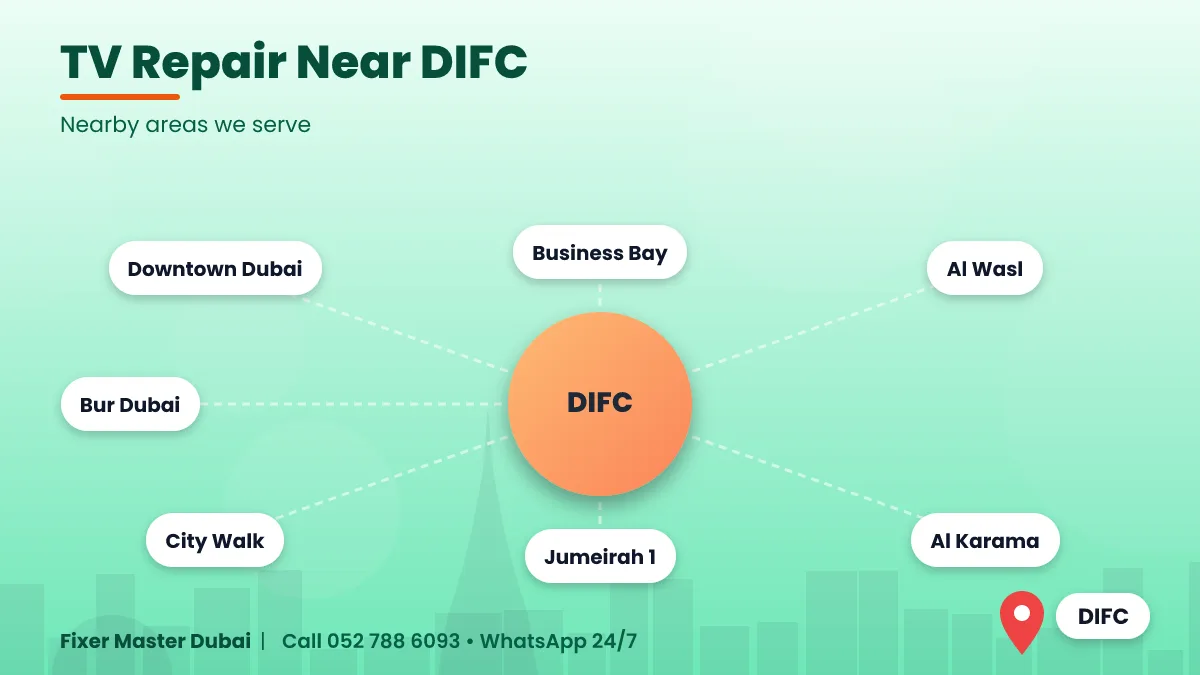
Need TV repair DIFC Dubai at home? DIFC sits beside Downtown Dubai and the Sheikh Zayed Road corridor. We also serve neighbours through TV repair in Downtown Dubai and TV repair in Business Bay, plus every area below.
- DIFC .
- Al Warqa .
- Dubai Silicon Oasis .
- Dubai Production City .
- Al Karama .
- Business Bay .
- Downtown Dubai .
- Al Barsha South .
- Jumeirah Lakes Towers (JLT) .
- Jumeirah Park .
- Dubai Investment Park (DIP) .
- Jabal Ali First .
- Al Furjan .
- Discovery Gardens .
- Jumeirah Village .
- Dubai Sports City .
- Jumeirah Triangle .
- Arabian Ranches .
- Arabian Ranches 2 .
- DAMAC Hills .
- Jumeirah Golf Estates .
- Jumeirah Islands .
- The Springs .
- The Meadows .
- Al Barsha .
- JVC .
- JVT .
- Dubai Studio City .
- Motor City .
- Green Community East .
- Green Community West .
- Dubai Land .
- Al Mizhar 1 .
- Al Mizhar 2 .
- Al Mizhar 3 .
- Al Khawaneej 1 .
- Al Khawaneej 2 .
- Al Khawaneej 3 .
- Al Qusais .
- Mirdif .
- Al Warsan .
- Nad Al Hammar .
- Al Rashidiya .
- Oud Al Muteena 1 .
- Nad Al Sheba 1 .
- Nad Al Sheba 2 .
- Meydan .
- Meydan South .
- Mohammed Bin Rashid Al Maktoum City .
- City Walk .
- Jumeirah 1 .
- Al Badaa .
- Al Jaddaf .
- Al Awir .
- Dubai Marina .
- Palm Jumeirah .
- Dubai Hills Estate .
- The Greens .
- Jumeirah 2 .
- Jumeirah 3 .
- Al Wasl .
- Bur Dubai .
Browsing for more help? The TV green screen guide explains odd colour tints, and TV repair cost in Dubai shows what shapes a quote. Fixer Master also repairs steam irons: see steam iron repair in Dubai or return to the Fixer Master home page. Our TV repair DIFC Dubai line is open all night.
TV Repair DIFC Dubai: Your Questions Answered.
Do you offer TV repair DIFC Dubai to every tower and street?
Yes. Our technicians visit every tower, residence and street in DIFC, day and night. Send the tower name, the TV model and a photo through WhatsApp. We test the power, the panel and the ports, then explain the fault and the fee before any work starts.
How much does TV repair DIFC Dubai cost?
The price follows the failed part, the screen size and the panel type. A loose cable or a worn port costs less than a power board or a backlight unit. We test first, then give you a firm price for your TV repair DIFC Dubai visit before work begins.
Can a technician repair my wall-mounted TV without taking it down?
In most cases, yes. We test the power, the ports and the picture while the TV hangs on the wall. If the set must come down for a bench test, we bring a second person and explain why first. You agree the plan before we touch the mount.
Why does the soundbar stay silent in my DIFC flat?
Open the audio menu and choose the soundbar output again, then try another certified HDMI lead. A worn eARC port is a common cause. If the room stays silent, our technician can test the port and the settings during a home visit.
Why does my TV picture look dim at night?
An energy-saving mode or a wrong picture preset often dims the screen. Switch the saver off and compare. If dark patches or a weak glow remain, a backlight strip may be ageing. Book a backlight test so we can confirm the cause early.
Why do apps freeze on my smart TV in a tower?
A busy Wi-Fi channel, full memory or old software can freeze apps. Restart the TV, move the router closer and install updates. If the freezes continue, the Wi-Fi module or the main board may need a test. We can check both at your home.
Is it safe to clean my TV with a glass spray?
No. Liquid can seep behind the bezel and reach the panel edge, which may cause stains or a short circuit. Use a dry microfibre cloth, and dampen it slightly with water only for marks. If liquid has already entered, switch off and call us.
Do you repair OLED and QLED TVs at home in DIFC?
Often, yes. We test the power board, the panel cable and the ports in your lounge, then explain what we find. If the panel itself is damaged, we tell you honestly whether repair or a new TV makes more sense for your budget.
How quickly can a technician reach DIFC?
Many visits happen the same day. Phone and WhatsApp lines run all day and all night, so write to us at any hour. A clear photo and the model label help us bring the right part for your TV repair DIFC Dubai booking.
Can you repair a TV in a serviced apartment or an office lounge?
Yes, if the TV belongs to you or your company and building access is arranged. Tell us the tower, the floor and any reception rules. We confirm the visit time, test the set on site and agree the fee before any repair starts.
Should the soundbar and box stay connected for the visit?
Please leave the soundbar and the streaming box plugged in. They let us test the full path from source to screen. We may disconnect them for a moment and will reconnect them before leaving. Each input is tried again at the end so you see it working.
What should I do if my TV clicks and stays black?
Unplug it for five minutes, then press the power key once and plug it in again. If the click returns and the screen stays black, stop trying. Leave the cover closed and call us, because the power board or the main board needs a test.
Is Fixer Master the official service centre of any TV brand?
No. We are an independent repair service with no link to any TV maker. If your warranty is active, check with the seller or the brand first, since opening the set could affect cover. We handle every other repair, and we agree the price first.
Call for TV Repair DIFC Dubai Day or Night.
Whether the screen hangs in a high-floor lounge or a quiet bedroom, we aim to get it working again. Call Fixer Master for TV repair DIFC Dubai service at home. Phone or WhatsApp us at any hour and ask for a same-day slot.